
Information
Kinetic Wireless Switches: Retrofit Uses, Limitations and Buying Guide
Updated October 2026 · Meteor Electrical guides · 10 min read
Quick answer: A kinetic wireless switch powers itself: each press generates a small burst of energy that sends a radio signal to a receiver wired into the lighting. There are no batteries and no cable to the switch, so kinetic switches suit retrofit jobs where new switch points would mean chasing walls. Their limits are signal range, metal obstructions and the receiver’s load rating.
Kinetic wireless switches let electricians add a light switch almost anywhere, from a new two-way position on a landing to a switch on a glass partition, without running cable. This guide explains how they work, the retrofit jobs they suit best, the limitations to check before you buy, and which Selectric GRID360 kinetic products you need.
In this guide
How does a kinetic wireless switch work?
A kinetic switch uses energy harvesting. Instead of a battery or a mains feed, it turns the movement of your finger into electricity.
- You press the switch. The rocker drives a small electromagnetic generator inside the switch.
- The switch sends a signal. That burst of energy is just enough to transmit a short radio (RF) command.
- The receiver acts on it. A paired receiver, wired into the lighting circuit, switches the lights on or off, or dims them if it is a dimmable model.
Because the switch has no battery to replace and no cable to it, it can be fixed to plasterboard, tile, glass or furniture. The receiver is the only part that connects to the mains.
Browse our kinetic switches and GRID360 plates to see the full range.
Where do kinetic switches work best?
Kinetic switches earn their place wherever a new switch point would otherwise mean chasing walls, lifting floors or redecorating.
Extra switch points and two-way switching
Adding a second switch at the top of the stairs or the far end of a hallway normally means running three-core and earth cable between positions. With kinetic switches, you pair two or more switches to one receiver and fix them where they are needed.
Refurbishments and finished interiors
In occupied homes, offices and shops, kinetic switches avoid dust, making good and redecoration. That keeps downtime short and protects expensive finishes such as wallpaper, tiles and panelling.
Listed buildings and heritage properties
Wireless switching can avoid cutting into historic walls. However, any fixing to a listed building may still need listed building consent, so check with the local conservation officer before you start.
Flexible commercial spaces
Meeting rooms, hospitality venues and open-plan offices often change layout. Kinetic switches can be moved or added without rewiring, and a smart receiver can add app control where needed.
Video: eFIXX, “Energy Harvesting: The Future of Smart Switches”.
What are the limitations of kinetic switches?
Kinetic switches are not right for every job. Check these points before you specify them.
| Limitation | Why it matters | What to do |
|---|---|---|
| Signal range | Masonry, concrete, glass and room layout all reduce radio range | Check the datasheet and test the signal before fixing the switch |
| Metal and foil | Metal back boxes, steel frames and foil-backed insulation can block the signal | Use a non-metallic mounting and keep the receiver clear of metal enclosures |
| Receiver load rating | The receivers in our range are rated at 2.5 A, and LED drivers can draw high inrush current | Add up the connected load and check the lamp compatibility guidance |
| Receiver location | The receiver needs a permanent live and neutral supply and must stay accessible | Plan where it will sit, such as at the light fitting or in an accessible ceiling void |
| Not an isolator | A wireless switch does not disconnect the circuit for maintenance | Always isolate at the consumer unit before working on the lighting |
| Dimming | Standard receivers only switch on and off | Choose a dimmable receiver and dimmable lamps |
In buildings with heavy steel structures, dense concrete or a lot of radio interference, a wired switch may still be the more reliable choice.
Safety: The receiver is connected to the mains lighting circuit. Isolate the circuit at the consumer unit and prove it dead before fitting or replacing a receiver, and use a qualified electrician. Remember that the kinetic switch does not isolate the lights.
Kinetic vs wired vs smart Wi-Fi switches
Each type of switch suits a different job. This comparison shows where kinetic wireless switches fit.
| Feature | Kinetic wireless switch | Wired switch | Smart Wi-Fi switch |
|---|---|---|---|
| Cable to switch position | None | Yes | Yes, usually with a neutral |
| Batteries | None | None | None (mains-powered) |
| Disruption in a finished room | Very low | High if new cable is needed | Low if replacing an existing switch |
| App or remote control | With a smart receiver | No | Yes |
| Best for | New switch points, two-way switching, listed and finished interiors | New builds and full rewires | Upgrading existing switch positions |
If you are replacing existing switches and want app control, compare our smart switches and sockets. If you need a new switch point without new cable, kinetic is usually the simpler option.
Which kinetic switches and receivers do you need?
Every kinetic installation needs at least one switch and one receiver. Choose the switch for where and how it will be used, then the receiver for the type of control and the load.
Selectric GRID360 Retractive Kinetic On-Off Switch
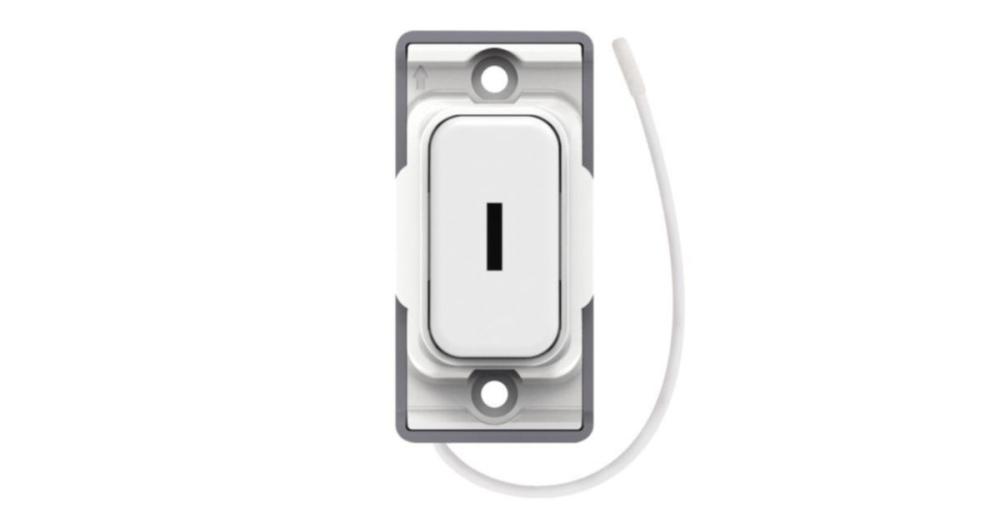
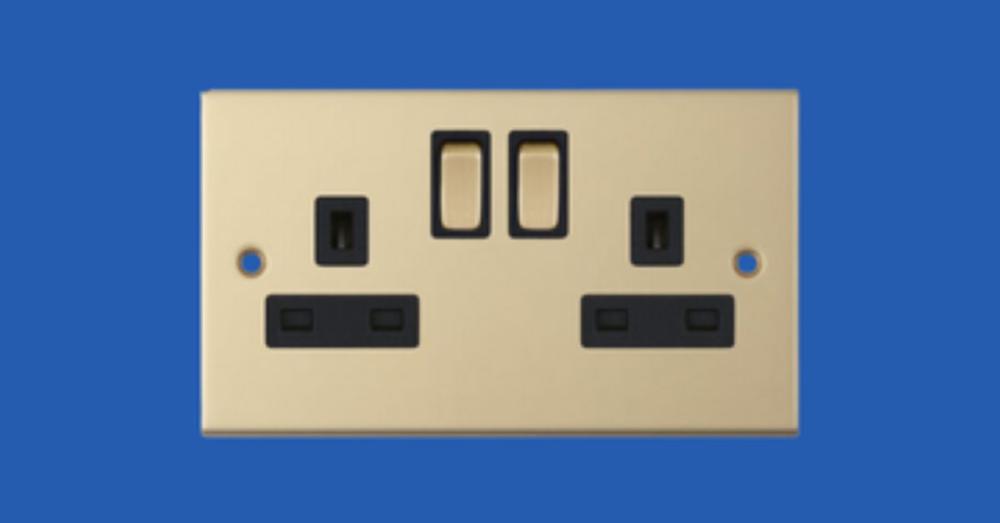
The standard wall-mounted kinetic switch in the GRID360 range, available in finishes such as white and antique brass. View the white retractive kinetic switch. For plant rooms or areas that need restricted access, there is also a kinetic key switch version.
Selectric Kinetic SKIN-3 Wireless Fob Switch
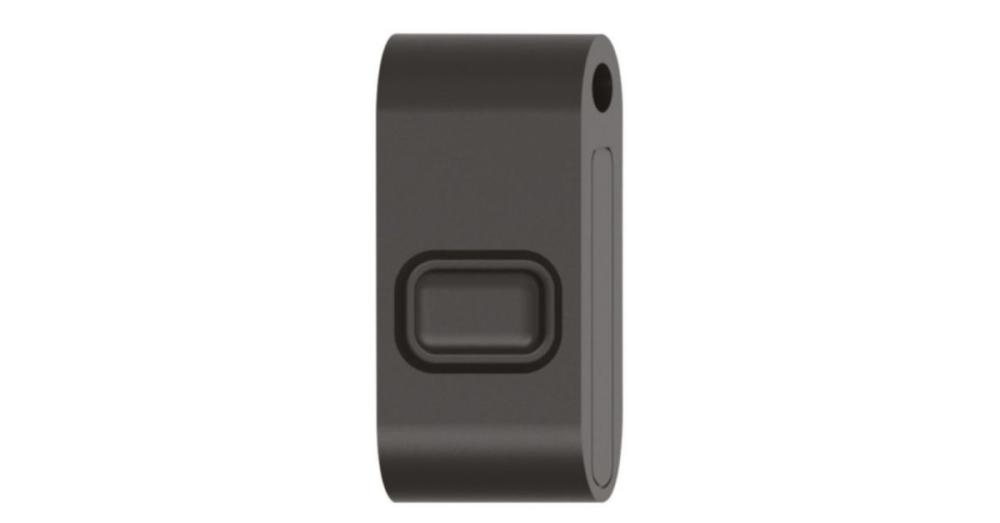
A portable, pocket-sized kinetic fob that works like a remote control. It suits caretakers, bedside control and flexible spaces where a fixed switch is not practical. View the SKIN-3 fob switch.
Selectric Kinetic 2.5A RF receivers
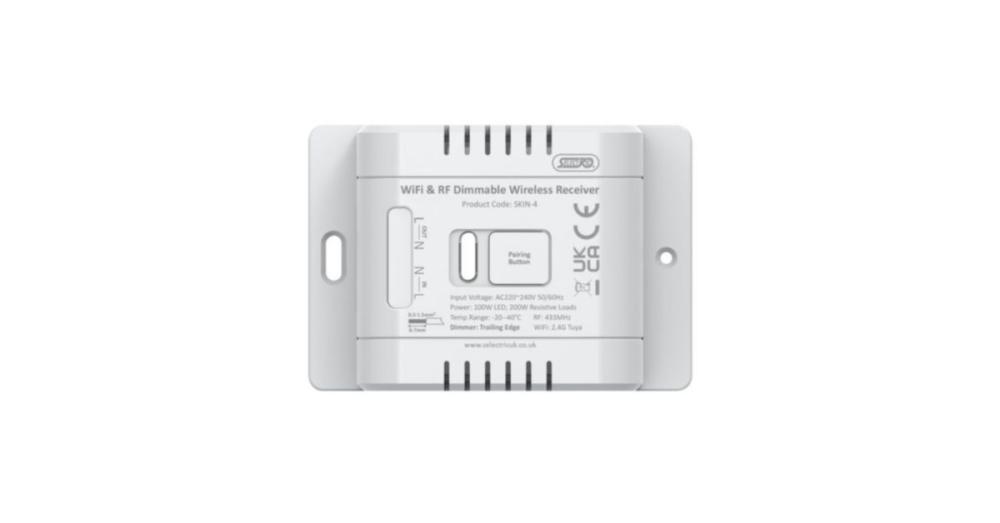
The receiver connects to the lighting and responds to the paired switches. Our range includes:
- Standard on-off RF receiver for simple switching.
- Smart and standard on-off RF receiver for switching with app control.
- Standard on-off key switch RF receiver for use with the kinetic key switch.
- Smart on-off dimmable RF and Wi-Fi receiver for dimming and app control.
Check each receiver’s datasheet for pairing, compatible switches, app requirements and lamp compatibility before you order.
To finish the installation, the Selectric GRID360 range also includes modular plates in a range of finishes, and our wider grid modules range covers other switching needs.
How do you plan a kinetic switch installation?
- Survey the site. Note wall materials, metalwork and the distance between each switch position and the light fitting.
- Choose the receiver position. It needs a permanent live and neutral, a suitable enclosure and access for future maintenance.
- Check the load. Add up the lamps or drivers on the circuit and confirm they are within the receiver rating and compatible with it.
- Fit and pair. With the circuit isolated, wire the receiver, restore power and pair each switch following the manufacturer’s instructions.
- Test before fixing. Hold each switch in its planned position and check it works reliably before you fix it permanently.
Pro tip: Keep a note of which switches are paired to which receiver and leave it with the client or in the building file. It makes future changes and fault-finding much quicker.
Key takeaways
- Kinetic wireless switches power themselves from each press and need no batteries or cable to the switch.
- They are ideal for extra switch points, two-way switching, refurbishments and listed or finished interiors.
- Range, metal obstructions and the receiver load rating are the main limitations to check.
- Every installation needs a paired receiver with a permanent mains supply, fitted by a competent person.
- Choose a smart or dimmable receiver if you need app control or dimming.
Are kinetic wireless switches right for your project?
Kinetic wireless switches are one of the fastest, cleanest ways to add lighting control in an existing building. Survey the site, choose the right receiver and test the signal first, and they will save hours of chasing and making good. Where the building fabric blocks radio signals, a wired switch remains the safer choice.
Shop kinetic wireless switches
Selectric GRID360 kinetic switches, fobs, receivers and plates for fast, low-disruption retrofit lighting control. Trade prices, next working day delivery across NI & ROI on in-stock orders before 5pm.
Shop kinetic switches Shop smart switchesNeed help choosing? Call our team on 028 8675 1515 (048 from ROI), Monday to Friday, 8am–5pm.
FAQs
What is a kinetic light switch?
A kinetic light switch is a wireless switch that powers itself. Pressing the rocker drives a tiny generator inside the switch, which produces just enough energy to send a radio signal to a receiver wired into the lighting circuit. The receiver then switches the lights, so the switch needs no batteries and no cable.
Do kinetic switches need batteries or mains power?
The switch itself needs neither batteries nor mains power, because each press generates its own energy. The receiver that controls the lights does need a permanent mains supply, so it must be wired into the lighting circuit or light fitting, usually by a qualified electrician, and housed in a suitable enclosure.
How far can a kinetic switch be from the receiver?
Range depends on the building. Kinetic switches are typically quoted at up to tens of metres in open, lightweight construction, but solid masonry, concrete, metal and foil-backed insulation all reduce it. Check the manufacturer’s datasheet and test the signal on site before fixing the switch permanently.
Can kinetic switches be used for two-way switching?
Yes. Pairing two or more kinetic switches to one receiver lets you control the same lights from several places. It is a popular retrofit solution for stairs, landings and long hallways, because it avoids running new three-core and earth cable between switch positions. Check how many switches your receiver can pair with.
Can kinetic switches dim lights?
Only with a dimmable receiver and dimmable lamps. Standard on-off receivers simply switch the load, while dimmable receivers, such as the Selectric smart dimmable model, can vary the light level. Check that the lamps or LED drivers are compatible with the receiver and within its load rating.
Are kinetic switches suitable for listed buildings?
They are often a good fit, because they can avoid chasing walls or running new cables through historic fabric. Fixing a switch to a listed building can still need listed building consent, so speak to the local conservation officer first. The receiver also needs a sensible, accessible location on the existing lighting circuit.