
Information
Smart Switches and Sockets: What You Actually Need to Check Before Buying
Smart Switches and Sockets: What You Actually Need to Check Before Buying
Let's assume a scenario that plays out in kitchens and hallways up and down the country: you buy a smart switch, climb the stepladder, unscrew the faceplate - and realise your wiring simply will not accommodate it. No neutral wire, wrong load type, or hub compatibility. Cue a trip back to the shop and a wasted Saturday.
Smart switches and sockets have become one of the most popular small upgrades for UK homes and offices, but the detail that misleads people almost every time isn't the tech itself - it's the wiring and compatibility checks nobody tells you to do first. So before you add anything to your basket, here's what's actually worth knowing.
Why Neutral Wire Requirements Matter So Much
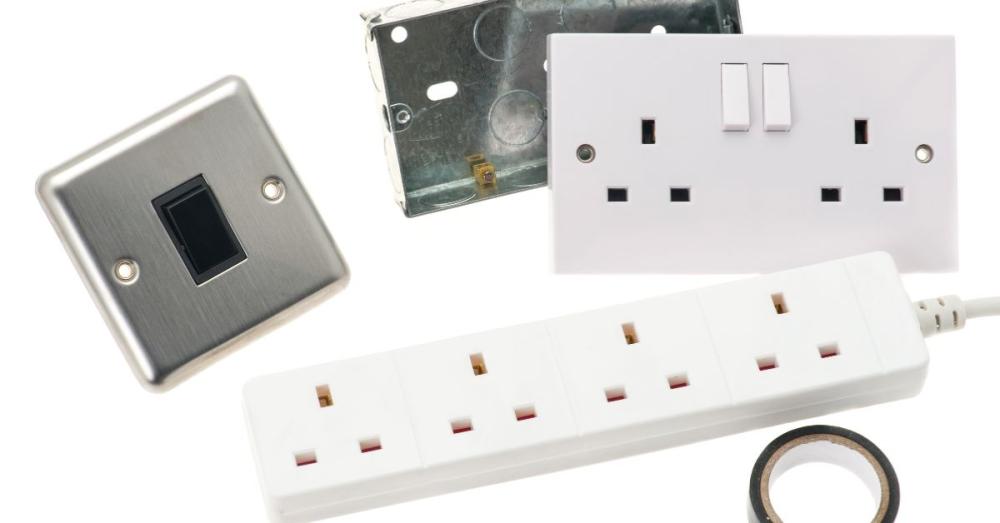
Before choosing a smart switch, the single most important technical question is whether a neutral wire is present at the switch position. Many UK homes, particularly those wired before smart technology became mainstream, only route live and switched-live conductors to light switches, leaving the neutral looped at the ceiling rose instead.
- Power draw of the switch itself: Smart switches need a small, constant trickle of power just to stay connected to your Wi-Fi or hub, even when the light's off.
- Flickering or buzzing symptoms: Without a neutral to complete that circuit, the switch has nowhere for that current to go, and it usually finds its own workaround - often by borrowing current through the bulb itself. That's why you sometimes see LED bulbs flickering faintly or hear a quiet buzz from a light that's supposedly switched off.
- No-neutral alternatives exist: Some manufacturers produce "no-neutral" smart switches on the market that get around this problem in other ways, but they tend to be fussier about which LED bulbs they'll dim properly, and they're generally less reliable than a switch with a proper neutral connection.
- Sockets are usually more straightforward: Sockets, on the other hand, are usually much less of a headache. Most UK ring and radial socket circuits already have a neutral wired in, which is a big part of why smart sockets tend to be a far simpler retrofit than smart switches.
- A quick continuity check first: The fix here is simple: before you order anything, get a voltage tester on the switch or ask an electrician to confirm whether a neutral is actually present. That one check will narrow down your shortlist far more usefully than any spec sheet.
Understanding Load Types Before You Choose a Switch
Not every switch or dimmer is suitable for controlling every kind of bulb or appliance, and this is the second place people get caught out. Here is what you need to consider:
- Resistive loads: Traditional incandescent and halogen bulbs are what's called a resistive load - they draw a steady, predictable current, and pretty much any switch or dimmer handles them without complaint.
- Inductive loads: Motors, extractor fans, and older fluorescent fittings are inductive loads. They can create a small current spike when they switch on, so the switch needs to be rated for that or it can wear out prematurely.
- Capacitive loads: Modern LEDs, the ones most people are actually buying smart switches for. LED drivers are capacitive loads, and they need a dimmer that's specifically marked as LED - compatible. Use the wrong one, and you'll get buzzing, flickering, or lights that cut off early before reaching full brightness.
- Mixed loads on one circuit: If one switch is controlling a mix of things - say, some LED downlights and an extractor fan on the same circuit - check the manufacturer's compatibility chart rather than guessing, because mixed loads bring down the maximum wattage the switch can safely handle.
- Maximum wattage ratings: Speaking of wattage: every switch and socket has a maximum rating, and going over it, even occasionally, can trip the circuit or quietly damage the relay inside over time.
Source - busterandpunch
Checking Compatibility Before You Buy
It's worth being clear on something here: Meteor Electrical is a retailer. It sells the switches and sockets - it doesn't run its own app, hub, or smart home ecosystem. The compatibility features you'll see, like Alexa or Google Assistant support, or an app such as Knightsbridge, come built into the product itself by the manufacture.
So, being smart rather than assuming everything in a range will just work together, the smarter move is to check each product's own compatibility details before you buy. A few things worth looking at on the listing:
- Does it connect straight to your Wi-Fi, or does it need a separate hub? Wi-Fi is simpler to set up; hub-based systems can give steadier coverage across a bigger house but mean buying extra hardware.
- Which voice assistants does it actually support - Alexa, Google Assistant, or both? Don't assume; it varies product to product.
- Does the manufacturer's app let you schedule, set timers, or control things remotely?
- If it's a socket, does it report energy usage? Handy if you're trying to work out what's actually driving up your bill.
- Is the manufacturer still pushing firmware updates? A smart device that stops getting updates is a device that slowly becomes a security risk.
None of this is complicated, but it does mean reading the individual product page rather than assuming one purchase guarantees the next one will match it.
Featured Smart Switches & Sockets Worth Considering
If you're after somewhere to start, here are seven options from Meteor Electrical's range covering a decent spread of common jobs.
1. Knightsbridge Smart IP66 13A 2G Outdoor Socket
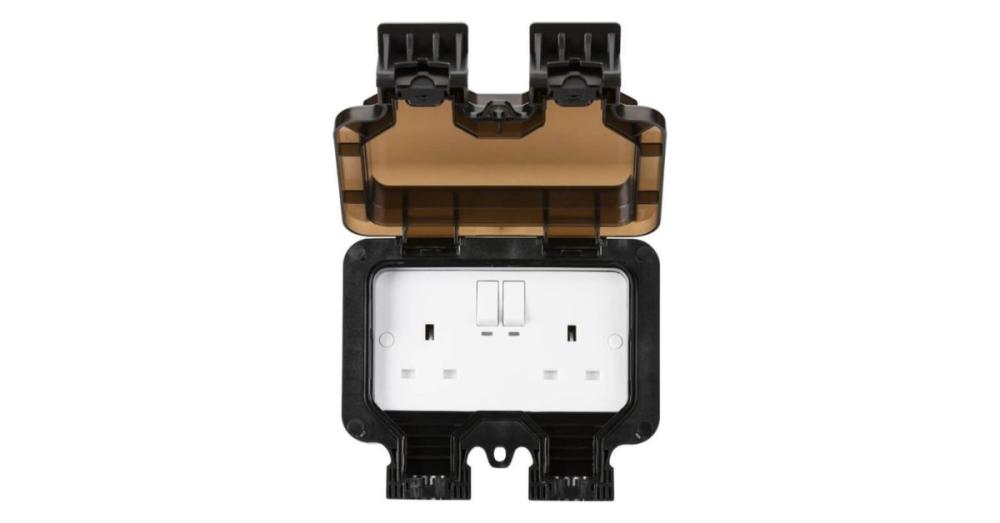
The Knightsbridge Smart IP66 13A 2G Outdoor Socket is built for garden lighting, pond pumps, or festive lights you want to control from your phone. It's fully weatherproofed to IP66, works through the Knightsbridge or SmartKnight app, supports both Alexa and Google Assistant, handles up to 2990W, and comes with a two-year warranty.
2. 13A 2G Smart Switched Curved Socket
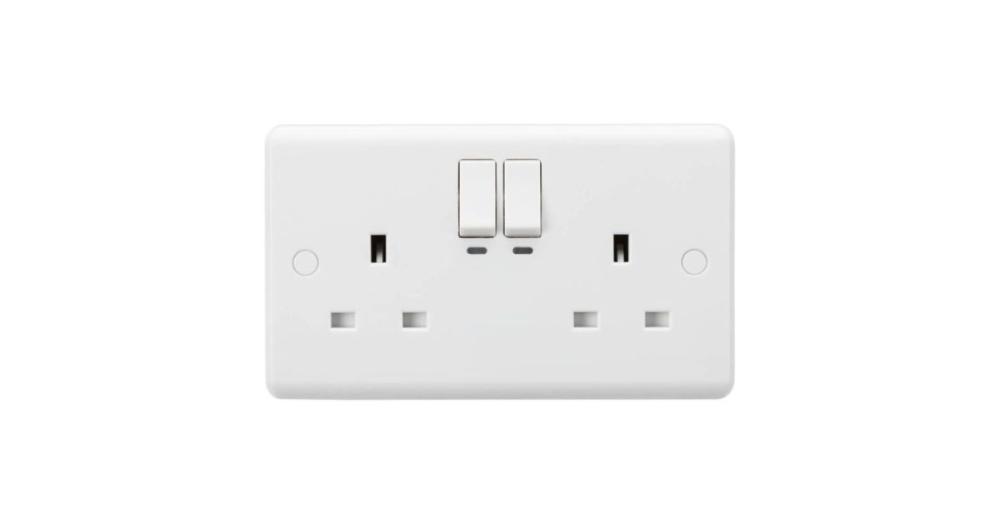
The 13A 2G Smart Switched Curved Socket brings the same SmartKnight scheduling and remote control indoors, for lamps or kitchen appliances, with a curved faceplate that looks a bit more modern than a flat one. Same voice assistant support, same two-year warranty.
3. 13A 2 Gang Unswitched Floor Socket
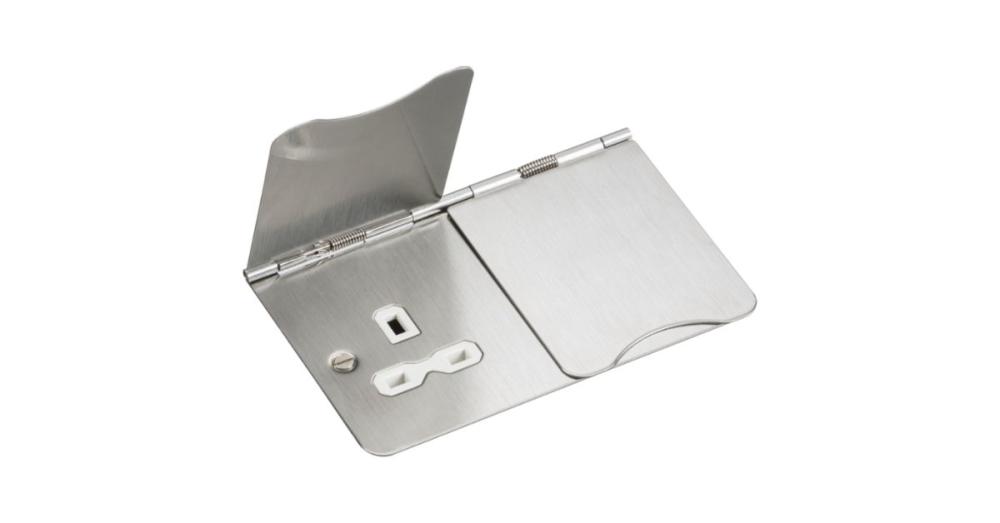
For open-plan rooms, offices, or hotels where wall sockets aren't practical, there's the Knightsbridge 13A 2 Gang Unswitched Floor Socket in brushed chrome with a white insert. It's got a spring-loaded lid to keep things safe underfoot, meets BS 1363-2, and carries a year's warranty - a genuinely long-term fit-and-forget option.
4. Pearl Slimline Switches and Sockets Bundle
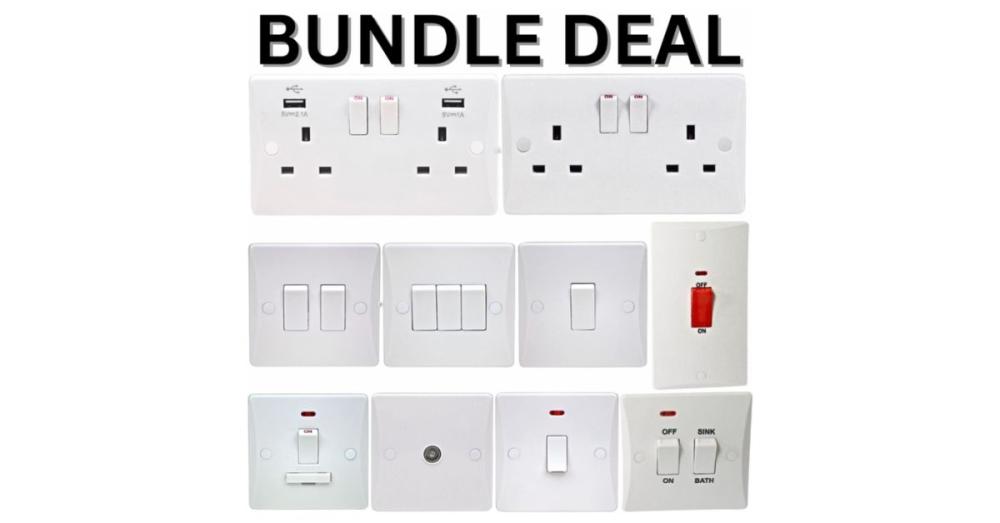
If you're refurbishing an entire property rather than one room, the Pearl Slimline Switches and Sockets Bundle is worth a look. It bundles switched sockets, plate switches in various gang sizes, a cooker switch, USB sockets, and a coax point, all in the same slimline finish, which makes it easy for landlords or contractors to keep a whole property looking consistent.
5. Single Coaxial Non-Isolated TV Socket
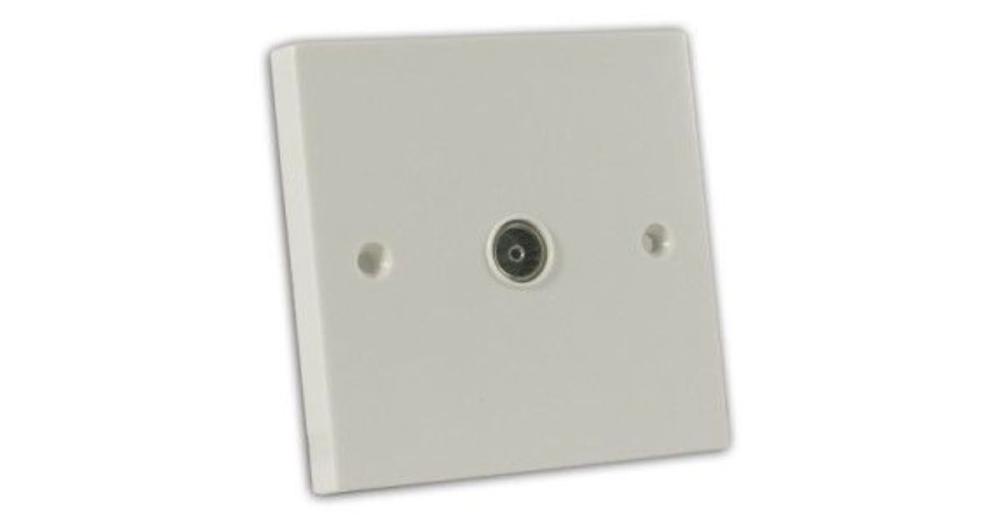
Not everything needs to be smart, either - the Single Coaxial Non-Isolated TV Socket in off-white is about as basic as it gets, but it exceeds British Standard requirements and comes with a ten-year guarantee, so it's a safe, low-cost pick for any room needing an aerial point.
6. Selectric 13 Amp Switched Socket with USB Type A (2.1A)
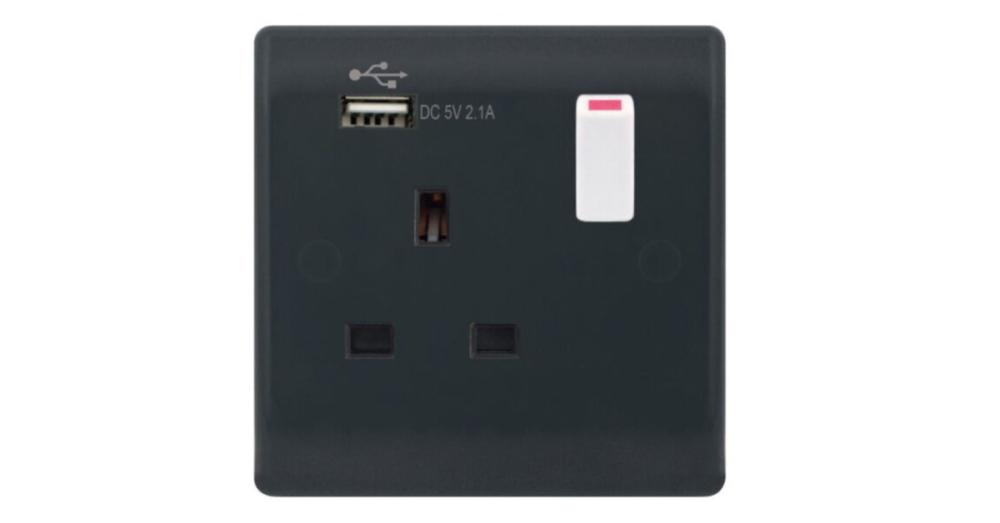
For rooms where phone charging is a daily thing - bedrooms, offices, hotel rooms - the Selectric 13 Amp Switched Socket with USB Type A (2.1A) combines a standard socket with built-in USB charging. It's part of the Part M/GRID360 range, finished in a darker grey that's easier to spot for anyone with visual impairments, and it's backed by many years of guarantee, thanks to its bakelite build.
7. Selectric 3 Aperture Modular Plate in Satin Brass
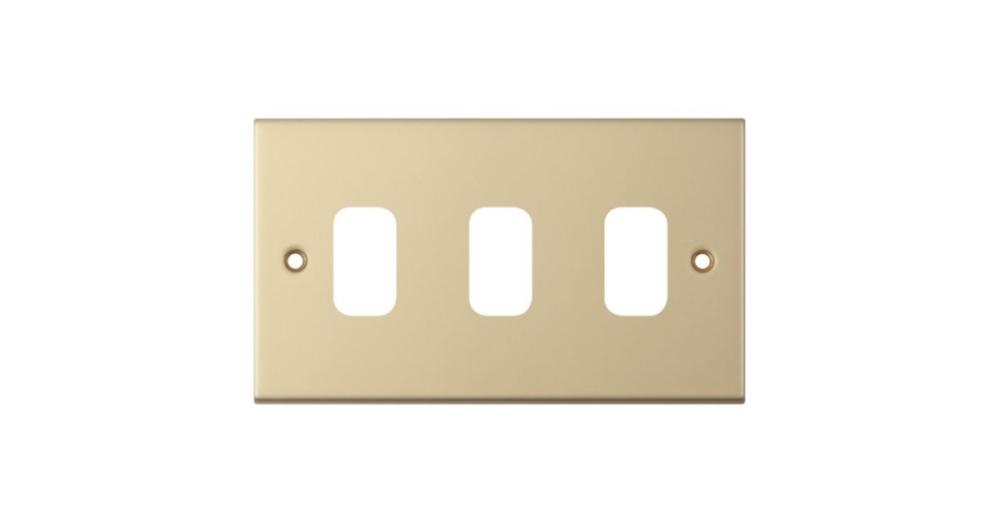
And if you'd rather build your own combination of switches, sockets, and data points on one plate, the Selectric 3 Aperture Modular Plate in Satin Brass is part of the Grid 360 system, with over 300 compatible modules to mix and match. It's a good option if you want something bespoke rather than a fixed layout.
Last Word:
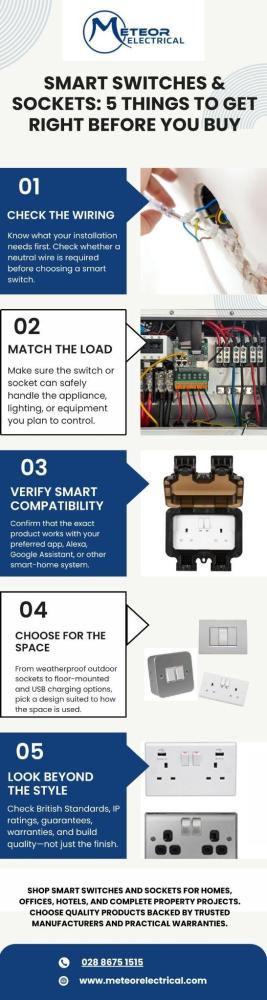
Before you buy a smart switch or socket, check three things: whether there's a neutral wire where you need one, whether the switch actually suits the load it'll be controlling, and whether the specific product you're looking at genuinely supports the voice assistant or app you plan to use - rather than assuming it will because another product in the range does.
Get those right and everything else - finish, style, extra features - comes down to personal taste rather than risk. Meteor Electrical's range covers outdoor, indoor, floor-mounted, and modular options, with next-day delivery and proper manufacturer warranties behind them, which makes it a reasonable place to start whether you're fitting one socket or rewiring a whole building. Check out our website for more options and get great deals. Click now!
FAQs
Q1: Do all smart switches need a neutral wire?
Most mains-powered smart switches need a neutral wire to work reliably. No-neutral alternatives exist but often have limited LED compatibility and dimming performance.
Q2: Can I use a smart socket outdoors safely?
Yes, provided it carries an appropriate IP rating such as IP66, like the Knightsbridge outdoor range, which is built to withstand rain, dust, and general weather exposure.
Q3: What load type should I check before buying a dimmer?
Check whether your bulbs are resistive, inductive, or capacitive, since LED bulbs need dimmers specifically rated for capacitive loads to avoid flickering or buzzing.
Q4: Do smart switches work with both Alexa and Google Assistant?
Many do, including the Knightsbridge SmartKnight range, but always check the individual product listing, as compatibility varies between manufacturers and models.
Q5: Is a USB socket worth choosing over a standard switched socket?
For rooms with frequent phone or tablet charging, such as bedrooms or offices, a USB-integrated socket like the Selectric 2.1A option reduces clutter from separate chargers.